Disable, delete or purge: what your offboarding script can actually undo
Shaun Hardneck · · 2 min read

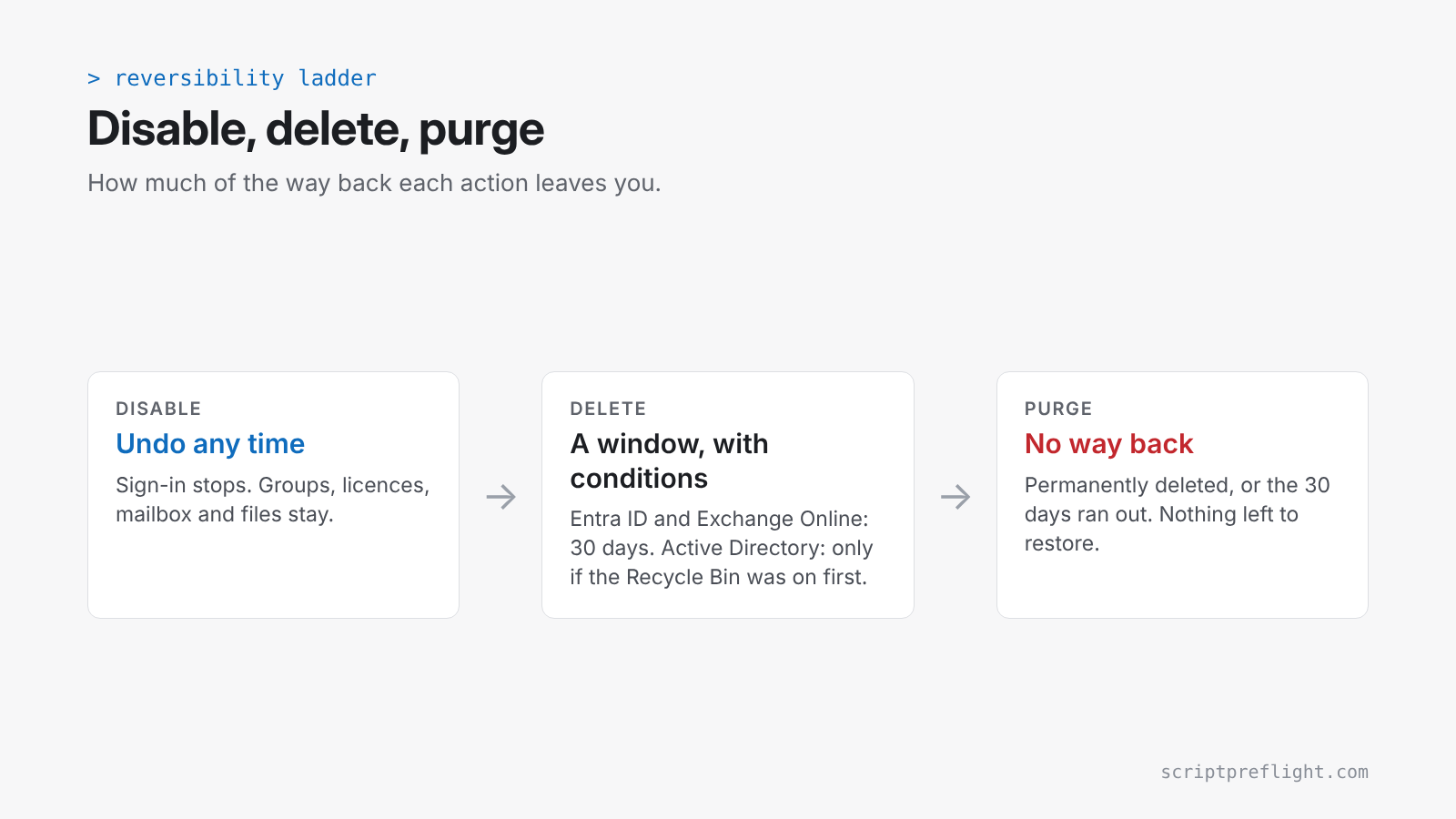
Offboarding scripts look alike. They differ wildly in what they leave behind if they hit the wrong person. Before you run one, know which of three things it does: disable, delete or purge.
Disable: the easy way back
Disabling an account, in Entra ID or Active Directory, stops sign-in and keeps everything else: group memberships, licences, mailbox, files. If the script disabled the wrong user, you enable them again. That's why ScriptPreflight rates a script that only disables accounts as reversible.
Delete: a window, with conditions
Entra ID. A deleted user stays in a suspended state for 30 days and can be restored with its properties. After that, Microsoft says the permanent deletion can't be stopped, and nobody, including Microsoft Support, can bring the account back. Two catches:
- Restoring a user also restores the licences assigned at deletion, even if you have none spare.
- For users synced from on-premises, Entra ID isn't the source of authority. The sync can recreate or remove them on its own schedule.
Active Directory. Here it depends on a setting many domains never turned on. The AD Recycle Bin is not enabled by default. It only covers objects deleted after it was enabled, and enabling it can't be undone. With it on, a restored user gets back its group memberships. Without it, you're into authoritative restores from backup.
Exchange Online. A deleted mailbox is kept for 30 days and then permanently deleted. Removing the licence starts the same 30-day clock.
Purge: no way back
Remove-Mailbox -PermanentlyDelete, emptying the Entra recycle bin, or simply waiting out the 30 days all end the same way. There's nothing left to restore.
Write the script so the default is reversible
- Disable first, delete later. Disable on the leaving date. Delete in a separate, scheduled step 30 or more days on.
- Export before you change. Save group memberships, licences and manager to a file before the script touches the account.
- Name the targets. Offboarding works on a list of named people, never on a filter like "everyone in this OU who hasn't signed in for 90 days" without a count check.
- Check the AD Recycle Bin is on before any script deletes AD objects:
(Get-ADOptionalFeature -Filter "Name -eq 'Recycle Bin Feature'").EnabledScopesAn empty result means it's off.
What a preflight tells you
For each change, ScriptPreflight reports whether it can be undone: reversible, partly, conditional or irreversible. If a script mixes changes, the overall answer is the weakest of them. A script that disables 12 users and permanently deletes one mailbox is irreversible, and the report says which line makes it so.