Before you hit Enter: a pre-run checklist a change board can sign
Shaun Hardneck · · 2 min read
Scripts arrive faster than ever: from a chatbot, a vendor, a colleague, an agent. In the 2025 Stack Overflow Developer Survey, 66% of developers named AI output that is "almost right, but not quite" as their top frustration. Almost right is exactly what gets through a quick look.
Change boards feel this most. They are asked to approve scripts, but a script is not evidence. "I read it and it looks fine" isn't either.
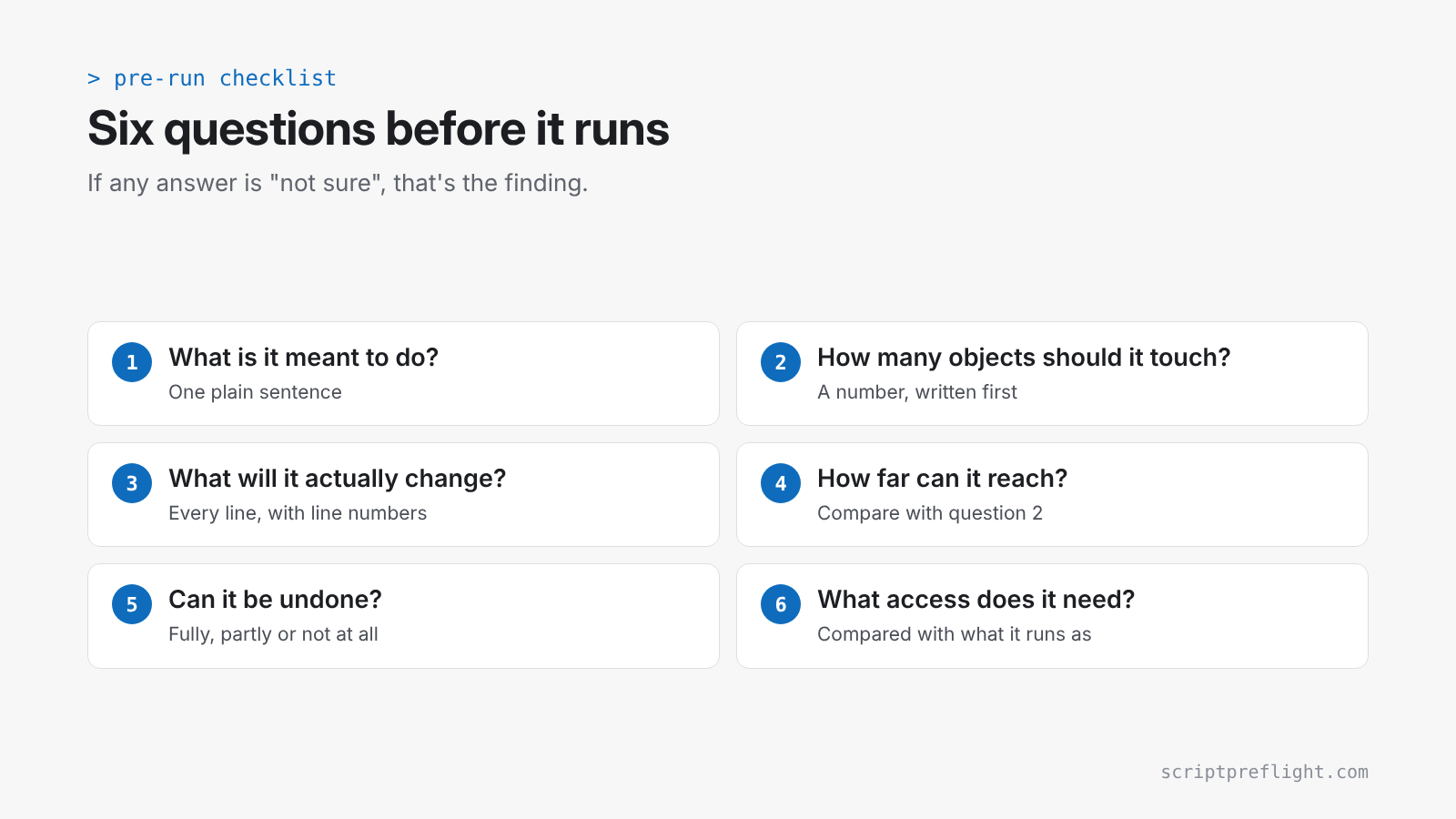
Six questions to answer before it runs
- What is it meant to do? One sentence, in plain words. "Disable the 12 leavers in this list."
- How many objects should it touch? A number, written down before anyone looks at the script.
- What will it actually change? Every line that creates, modifies, deletes, restarts or disables, with line numbers.
- How far can it reach? One object, a named list, or everything a filter returns. Compare this with question 2.
- Can it be undone? Fully, partly or not at all, and how: restore from backup, re-enable, or "it can't".
- What access does it need? The permissions it requires, compared with what it will run as.
If any answer is "not sure", that's the finding.
What good evidence looks like
For a board, the answers need to be:
- Specific: line numbers and object counts, not "should be OK".
- Repeatable: another reviewer reading the same script gets the same answers.
- Versioned: tied to the exact script that will run, so a last-minute edit means a new review.
- Honest about gaps: anything that couldn't be determined is listed, not glossed over.
A pilot, a check and a way back
Even a well-reviewed script should run in three steps:
- Pilot: a preview (
-WhatIf) or a small target set first. - Verify: a check that the pilot did what was intended, and nothing more.
- Rollback: written down before the run, not worked out during the incident.
Where ScriptPreflight helps
ScriptPreflight was built to produce this evidence for PowerShell. You paste the script and say how many objects it should touch. The report gives the result, what changes line by line, how far it reaches, whether it can be undone, the Graph permissions it needs (preview), and anything it couldn't determine. Every report carries rule IDs and engine versions, so it can be attached to the change ticket and checked later.
It never runs the script, and it doesn't replace the judgement of the person approving the change. It makes that judgement faster and puts it on paper.
If you need to convince someone at work, our make-the-case page has a one-page summary and an email you can forward.