Bash scripts are now checked
Shaun Hardneck · · 3 min read
ScriptPreflight now checks Bash and sh scripts. Paste or upload a .sh file, or anything with a bash or sh shebang, and you get the same report as for PowerShell and T-SQL: what the script changes, how far it reaches, whether it can be undone, and every finding with its rule ID and line.
A lot of admin work never touches PowerShell. It's a deploy script in a repo, a cron job someone wrote years ago, a cleanup step in a pipeline, or a few lines an AI chat tool produced a minute ago. Those scripts run with real permissions on real servers, and they are rarely read line by line first.
How we decided it was ready
A new language is switched on only after it passes a sealed evaluation: scripts written separately from the rules, kept closed while the rules were built, and scored once. To pass, no dangerous script could be called clean, every dangerous case had to be flagged at Critical or High where that was expected, and scripts outside Bash and sh had to be refused, not guessed at.
Bash passed its sealed evaluation with 2 label conflicts pending independent review. Both cases are careful scripts in classes we always rate High: one adds an account to a privileged group, the other makes a change on every host. The test labels called them benign; our rules say a careful change of that kind is still High, with its precaution named in the report. We didn't change the labels or the rules to make the numbers look better. An outside reviewer will settle both, and if the review goes against the engine, the gate reopens.
What it looks for
The checks are deterministic rules on the parsed script, read by the shfmt parser. They cover 33 categories, among them:
- recursive deletes whose path comes from a variable that could be empty or unset
find -delete,xargs rmand loops that delete files found at run time- sudoers changes, SSH trust, local users and privileged groups
- firewall flushes, interface changes and routing that can cut off your own session
- disks, filesystems, LVM and mounts
- cron jobs, systemd units and other things that keep running after the script ends
- cloud and cluster commands:
aws,az,gcloud,kubectl,helm,terraformandansible - downloads that are run without a checksum,
eval, and unquoted expansions
The coverage page lists every category, the parser and what a report cannot see.
An example
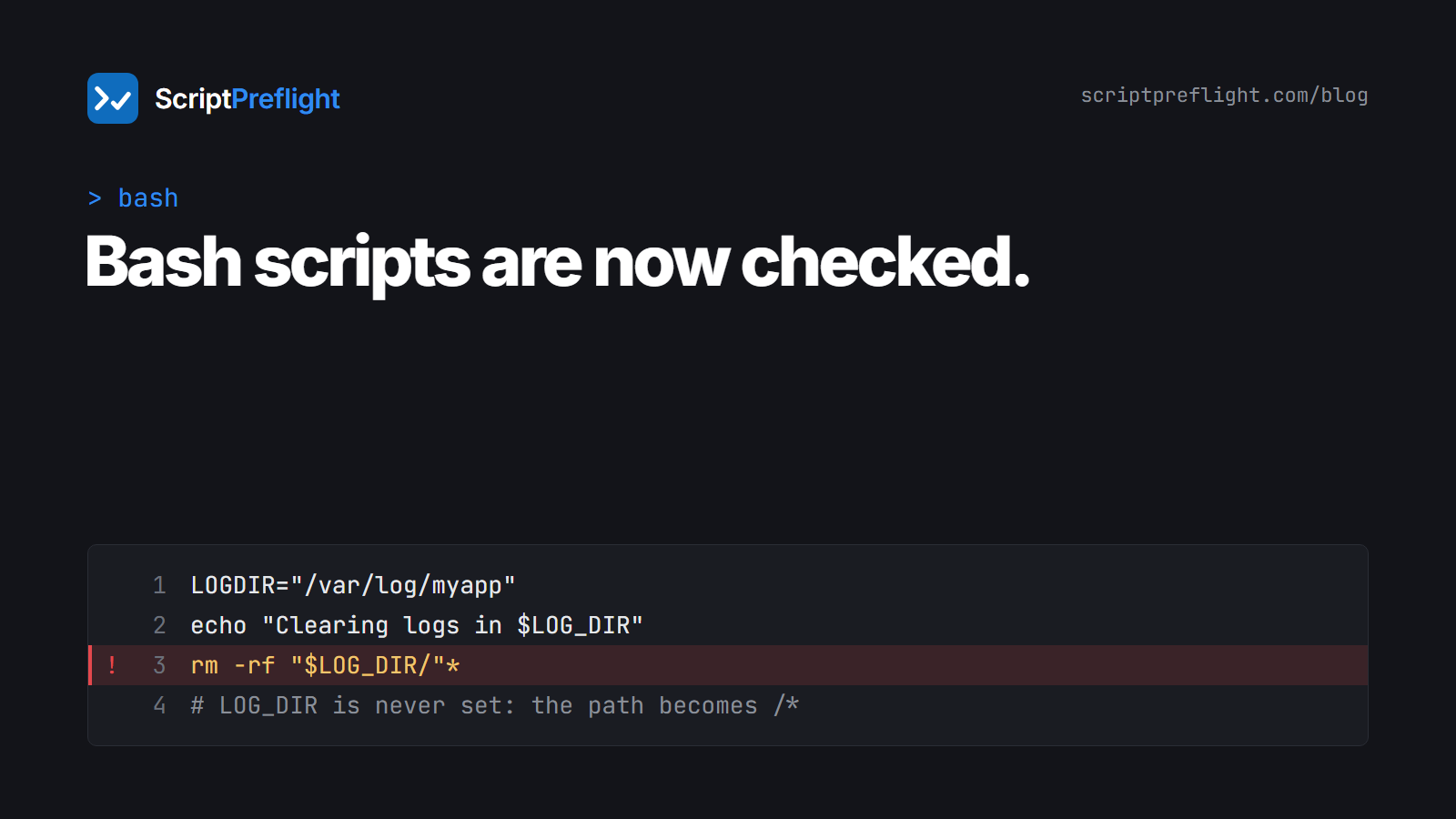
Here is a log cleanup with a one-letter typo:
LOGDIR="/var/log/myapp"

echo "Clearing logs in $LOG_DIR"
rm -rf "$LOG_DIR/"*
The variable that was set is LOGDIR. The one that is used is LOG_DIR, which is empty, so the path becomes /*. Even with set -e at the top nothing stops it, because nothing fails: the delete simply succeeds. This is exactly the kind of line the Bash rules look for: a recursive delete built from a variable that nothing in the script checks.
You can run this synthetic script yourself in the free checker. It's read as text and never run.
What it does not do
ScriptPreflight reads your script as text. It never runs it and never connects to a server, a cluster or a cloud account. That means it can't know how many files a glob matches or how many hosts are in a list, and the report says so. Aliases aren't expanded, calls into shell functions aren't traced, and permissions aren't assessed for shell scripts. When the engine can't follow something, coverage drops to Partial and the report tells you what it couldn't check.
A clean report means no known issue in what we could check. It is not a promise that nothing can go wrong, so keep your backups and your change window.
Which shells
Bash and POSIX sh. zsh scripts are refused rather than read as if they were Bash, until a zsh parser has been proven. Other languages are switched on the same way: only after they pass their own sealed evaluation.
Try it on your next maintenance script. The free trial includes three full preflights, no card required.